
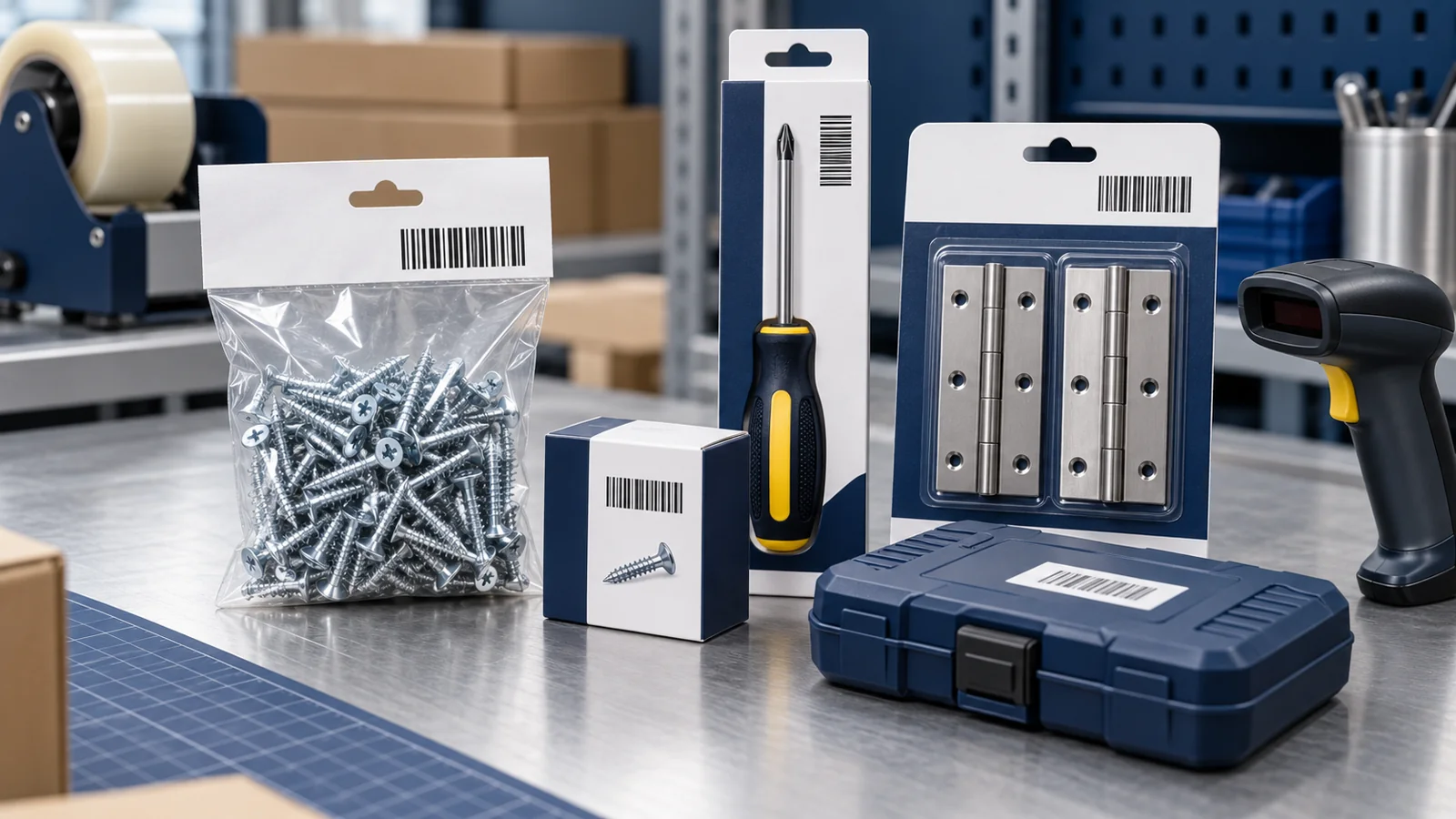
Your screws look almost identical on the packing table. One packet contains 25 mm screws, another contains 40 mm screws, and the larger box holds a different quantity. A distributor wants a barcode list before taking the range.
Giving every packet the same number would make the label simple, but the stock records confusing.
Plan the barcode around the exact hardware product and selling unit: its specification, dimensions and pack contents. Identical packs of that defined product share a retail identifier; distinct sellable variants need to remain distinguishable.
This guide explains barcodes for hardware products in India, with practical examples for tools, fasteners, hinges, fittings and fixed kits.
Define the Product Before the Number
“Screw”, “hinge” and “screwdriver” are product families, not complete order descriptions.
For a fastener, your approved record may need diameter, length, thread specification, head type, material, finish and quantity. For a tool, it may need the model, size and included components.
Use the specification your customer actually orders. A retailer should not have to guess whether “silver screw small” means the same product as “zinc-plated screw 25 mm”.
The complete description stays in your records. The barcode gives compatible software a way to retrieve the matching item.
Do Different Hardware Sizes Need Different Barcodes?
Separately sold sizes should be identified separately. Official product-identification guidance distinguishes variants such as sizes and their combinations.
Consider a fictional screw range with:
- Three lengths: 25 mm, 40 mm and 50 mm.
- Two defined finishes.
- One retail quantity of 20 pieces per packet.
If every combination is offered, there are six retail variants. Producing 500 identical packets of each does not require 3,000 different retail product numbers.
Only count the combinations you actually sell. If a finish is unavailable in one length, remove that row from the launch list.
For catalogue-wide calculations, use the existing guide to how many barcodes your brand needs.
Keep Specifications That Look Similar Apart
Two items can fit the same photograph while being different products.
| Product family | Distinction to record | Why it matters |
|---|---|---|
| Fasteners | Diameter, length, thread and material | The buyer needs the specified item, not a similar-looking substitute |
| Hinges | Dimensions, construction and finish | Different stocked versions must remain distinguishable |
| Hand tools | Model, working size and included pieces | A single tool is different from a kit |
| Fittings | Connection size, type and material | A broad family name does not identify the exact fitting |
These are catalogue examples, not engineering compatibility advice. Keep the approved technical specification available to the customer and avoid treating a barcode as proof of suitability, strength or certification.
Decide Whether You Sell a Piece, Pair, Packet or Box
The selling unit is especially important in hardware.
A single hinge, a pair of hinges and a fixed pack containing hinges with screws describe different offers. Likewise, a retail packet of 20 screws is different from a retail box of 100.
Record the pack count explicitly in the product name or a dedicated field. The scanner should select the unit being sold, rather than a record with an unexplained quantity multiplier.
For example, use “25 mm Screw, Approved Specification A, Pack of 20” rather than “Screw A”. Do not use that placeholder as an actual technical specification; replace it with your approved product details.
What About Loose Hardware Sold by Weight?
A sealed fixed-quantity packet and loose hardware weighed for each sale are different workflows.
If your customer weighs screws at the counter, ask its software or weighing-system provider how products and measured quantities should be encoded and recorded. Do not assume a fixed retail EAN-13 setup will perform that calculation automatically.
Similarly, an internal bin label can help staff locate loose stock without being the same identifier used on a finished retail pack. Agree on both processes before printing labels.
Keep Part Numbers and Retail Identifiers Connected
Your manufacturer code may contain useful specification clues. An internal SKU may help the warehouse find the stock. The retail product identifier serves another role.
Keep these fields separate but linked:
- Manufacturer model or part number.
- Internal SKU.
- Full product description and specification.
- Retail pack quantity.
- Assigned product identifier.
- Approved artwork file.
Do not paste an alphanumeric part number into a field that specifically requires an EAN-13 number. For the broader explanation, see SKU vs Barcode.
Identify Tool Kits by Their Fixed Contents
A physical tool kit sold as one trade item needs an appropriate identifier separate from those of its component trade items.
Describe the contents clearly: the exact tools, sizes, quantities and case included. “Ten-piece kit” is incomplete if the buyer cannot tell which ten pieces it contains.
A separately sold screwdriver and a fixed kit containing it should not share one retail identity. An online offer that groups separately fulfilled products is a different arrangement, so confirm the channel's setup.
For detailed bundle assembly and checkout handling, read barcodes for gift sets and multipacks.
Check the Label on the Finished Hardware Pack
Small bags, metal surfaces, hanging cards and compact boxes can make label placement awkward. Plan the scanning area before approving the packaging design.
As a practical production check:
- Compare the printed number with the approved product assignment.
- Confirm the readable size, specification and quantity match the contents.
- Check the symbol after filling, sealing and normal handling.
- Scan with equipment representative of the receiving environment.
- Confirm the software returns the correct item and selling unit.
Preserve the barcode's required proportions and blank space. If the buyer requires formal print-quality verification, arrange it separately from an ordinary scan test.
A sharp symbol on the wrong packet is still an error. Keep label stock for similar lengths and finishes separated at the packing station.
Retail Packs and Trade Cartons Need Separate Review
A distributor may order a carton containing several retail packets. Confirm which packaging levels it trades and which identifiers and symbols its receiving system requires.
Do not automatically copy the retail packet's barcode onto every outer carton. First establish what the carton represents in the buyer's records.
Record the number of packets per carton and keep that information consistent with invoices and dispatch documents. This helps distinguish “ten packets” from “ten individual screws” before goods move.
Confirm Buyer Requirements Before Purchasing
Ask your retailer, distributor or marketplace which identifier source and registration arrangement it accepts. Requirements can differ between a local hardware shop, an organised retailer and an industrial customer.
A barcode that scans does not guarantee acceptance everywhere. Also, a retail number does not replace a buyer's engineering, component-traceability or supplier-approval requirements.
Get the product-ID requirement in writing before placing the barcode order and approving the full packaging run.
How YesBarcode Can Help Hardware Brands
If your intended channels accept the offered identifier route, compare YesBarcode's current EAN-13 packages. The published offering includes small quantities, JPG and SVG artwork, and an Excel number list.
Assign the numbers to your confirmed retail products, then give the printer the approved artwork with the corresponding specification and pack quantity.
Physical labels and packaging production should be arranged separately unless specifically agreed. The digital barcode file is one part of the finished retail pack.
Frequently Asked Questions
Do hardware products need barcodes in India?
The practical requirement depends on the buyer and sales channel. Confirm the required identifiers and registration arrangement before purchasing numbers.
Can different screw lengths share one retail barcode?
Separately sold lengths need distinct product identifiers so the catalogue and packing process can distinguish them.
Can a packet of 20 and a box of 100 use the same identifier?
They are different retail pack quantities and should be identified separately.
Does every identical packet need a different number?
No. Identical packets of the same defined retail variant share its product identifier. Individual-unit tracking is a separate task.
Is the manufacturer part number the same as an EAN-13 number?
No. Keep the part number, internal SKU and assigned retail identifier as separate linked fields.
Does a tool kit need its own barcode?
A fixed physical kit sold as one trade item needs its own appropriate identifier, separate from those of its component trade items.
Start With a Clear Retail Product List
Finalise the specifications, dimensions and selling units first. Then match each approved product with its number, label and stock record.
Once buyer requirements are confirmed, choose the suitable YesBarcode package and prepare the final files for your printer.