
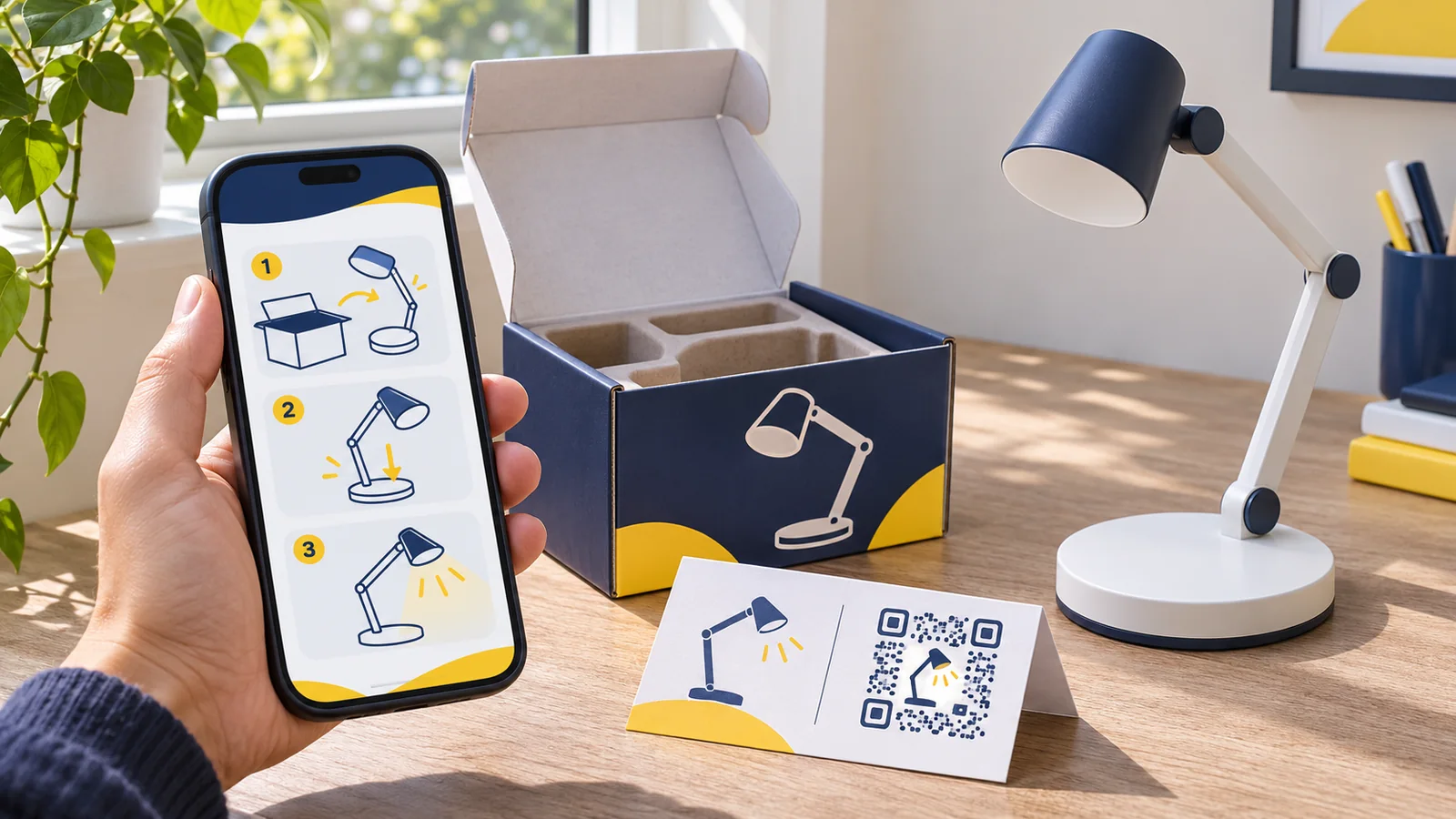
A customer has just opened a desk lamp box. The stand and arm are on the table, and the customer wants to know which screw goes where. The QR code says “Scan for setup”, but it opens the brand’s homepage. Now the customer has to search for the model with one hand while holding the lamp arm with the other.
A QR code for a product manual works best when it takes the customer straight to the instructions for the item they bought. Put the model name, the first useful step and a way to get help on that page. Keep older instructions available as long as customers may still need them.
Start with the task printed beside the code
Write the promise before building the page. “Scan for assembly instructions” sets a clearer expectation than “Scan me”. A buyer who sees “Scan for cleaning and care” should land on the care instructions, not a product video or a form.
| Product | Text beside the QR code | What the page should show first |
|---|---|---|
| Flat-pack shoe rack | Scan for assembly instructions | Model name, parts list and the first assembly step |
| Washable fabric organiser | Scan for care instructions | Care guidance for that fabric and any removable inserts |
| Desk lamp | Scan for setup and troubleshooting | Model name and clear links to setup steps and common issues |
Where possible, give customers the answer without asking them to create an account. Keep a short support address or contact option on the printed insert for people who cannot scan.
Choose whether variants can share one manual
Match the code to the instructions people need. Two colours of the same shoe rack can share a manual if their parts and assembly steps are identical. A taller model with a different brace and fixing sequence should have its own instructions or an unmistakable model selection page.
For example, suppose a brand sells the R2 rack in black and white and the taller R3 rack in black. That is three colour-and-model combinations, but it may need only two manual destinations: one for R2 and one for R3. The number of manual pages does not determine the number of retail identifiers.
Put the model or revision on the product, insert or pack where the customer can find it. Repeat that reference on the manual page. If customers must choose between versions, show them where to look for the marking and use the same names on the product and the page.
Build a page that is useful on a phone
Open the page on a phone and check what appears before scrolling. A useful order is the product name and model, a photo or drawing, and the action the customer came to take. On a simple setup page, the first step can start immediately. For a longer guide, use jump links to sections such as assembly, care and troubleshooting.
- Use short numbered steps. Give each step one job, such as matching the two side panels.
- Place diagrams beside the relevant instructions. Explain what the arrow points to rather than relying on the image alone.
- Use descriptive buttons such as “Download the R2 assembly manual”. Avoid “Click here” when several versions are available.
- Offer the full PDF as a download when useful. A short web guide can give customers the key steps without making them pinch and zoom on a printed-page layout.
- If you offer more than one language, make the language choice easy to find and check that each version describes the same model.
Test the page on mobile data as well as Wi-Fi. If a short video takes time to load, customers should still be able to follow the written steps. Keep any required printed instructions, warnings or labels in place; a digital manual does not by itself establish that they can be removed.
Keep older manuals available when products change
Say you change the R2 rack’s fasteners next year. Uploading a new manual over the old one could send a customer with the previous hardware to the wrong instructions. Save each manual with a model and revision, and keep a record of which version shipped with which packaging.
When older packs carry the same QR code, keep the destination useful for both versions. A page with two clearly labelled guides can work if customers can tell which hardware they have. If they cannot, use separate destinations for future print runs and keep the older destination available.
A stable page on your own domain can be enough when you control the address and only need to update its contents. A managed dynamic QR service is useful when you need to change the destination address behind an already printed code, provided the redirect stays active. See the dynamic QR packaging guide for that choice.
Test the full journey before printing
- Pick up a finished pack or insert and scan it at the intended print size.
- Check that the page opens without a login and names the correct model.
- Ask someone unfamiliar with the product to find the first step and the help option.
- Test each language, download and version link on a phone.
- Scan an older pack before changing a shared destination, and record who owns the page and checks the links.
Keep the manual QR separate from any retail barcode your trading partner requires. The manual QR takes a customer to instructions; the retail identifier serves the checkout or inventory workflow.
If you need to change manual destinations after printing, explore YesBarcode’s dynamic QR service. Check the current plan and what happens if access lapses before committing the code to packaging. Start by making the manual page useful: a successful scan matters only if the customer can take the next step.
Frequently Asked Questions
Can one QR code serve several product colours?
Yes, if the instructions are identical. Give products with different parts or steps separate destinations or a clear model-selection page.
Should the QR code open a PDF or a web page?
A phone-friendly web page is a useful starting point. Offer a downloadable PDF when customers need the complete manual, a printable copy or offline access after downloading it.
Do I need a dynamic QR code for a manual?
No. A direct QR code can work with a stable web address you control. A managed dynamic code helps if you need to change the destination address while the printed symbol stays the same.
Can I replace the printed manual with a QR code?
Check the requirements for your product and sales channel first. A QR code can supplement printed information; it does not automatically replace required instructions or warnings.
What should I do with manuals for discontinued models?
Keep the relevant manual reachable for existing customers. If you move it, test the links used by older packs and provide a clear way to find the correct version.