
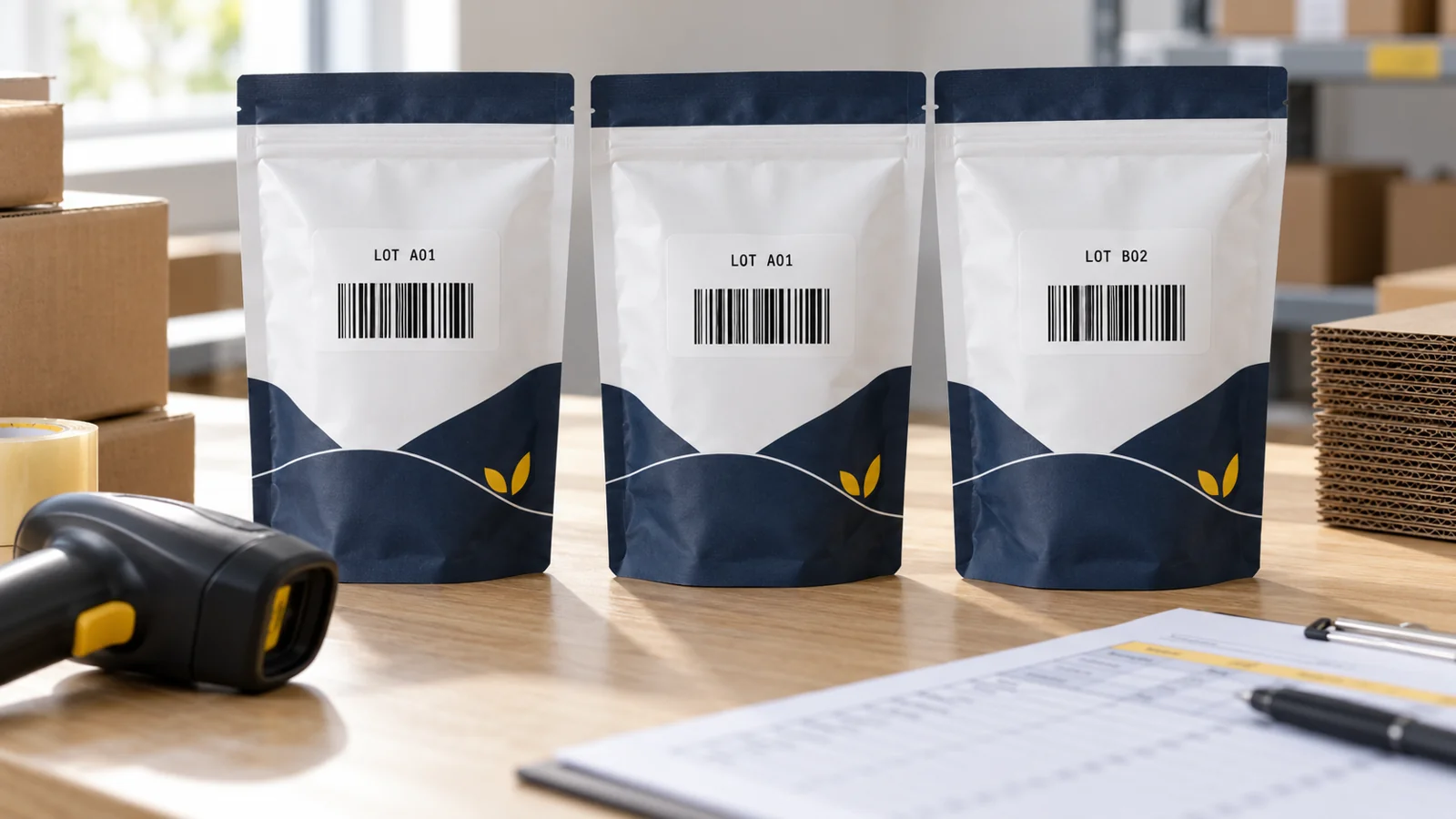
You have finished another production run of your 100 g masala tea. The packaging is unchanged, but the batch number and packing date are different. Does that mean you need to buy another retail barcode?
Usually, no. A new batch of an unchanged product normally keeps the same retail product identifier. The batch number records which production group it belongs to.
Understanding barcode vs batch number helps you keep product records consistent without losing the details needed to manage stock. The key is to separate what the product is from which production group supplied it.
Barcode Number and Batch Number: The Difference
| Field | What it identifies | Example |
|---|---|---|
| Retail product number | A defined trade item, such as a particular tea and pack size | Masala tea, 100 g pouch |
| Batch or lot number | A production group defined by the manufacturer | LOT A01 or LOT B02 |
| Serial number | One individual unit, when unit-level identification is used | One specific appliance |
Strictly speaking, a barcode is the machine-readable symbol. In everyday business conversations, “barcode number” often means the product identifier represented by that symbol. A GTIN is a standardised trade-item identifier, and EAN-13 is a retail barcode format used to carry a GTIN-13.
A batch number is another field. In the GS1 identification model, combining the product GTIN with its lot number distinguishes batches of that product.
For the separate role of internal stock codes, see SKU vs Barcode.
One Product, Two Batches: A Practical Example
Imagine a small tea brand making the same 100 g masala tea twice. The recipe, brand, declared quantity and retail pack configuration stay unchanged.
| Record | First production group | Second production group |
|---|---|---|
| Product | Masala tea, 100 g | Masala tea, 100 g |
| Retail identifier | Assigned identifier A | Same identifier A |
| Batch | LOT A01 | LOT B02 |
| Quantity produced | 800 pouches | 1,200 pouches |
The catalogue still contains one retail product. The stock records contain two batches and 2,000 pouches in total, before sales or adjustments.
“Assigned identifier A” is a placeholder, not a number to print. Use the identifier properly assigned to your actual product.
The batch definition should come from your documented manufacturing process. A lot might reflect a particular run, material group or other controlled production boundary; do not assume that every business must define it as one calendar day.
Does an EAN-13 Barcode Contain the Batch or Expiry Date?
No. An EAN-13 symbol carries the product identifier, not additional batch or expiry fields. Printing a lot number beside the bars does not put that information inside them.
If a cashier scans the EAN-13 on two unchanged tea pouches from different batches, the scanner reads the same product number. Any separate batch information must be captured through another field or process.
This explains a common misunderstanding: a barcode can select the right product while the inventory system still does not know which batch was received or dispatched.
Other barcode formats can carry additional attributes when correctly implemented. For example, GS1-128 and GS1 DataMatrix can encode product identification alongside lot or expiry information. These require the appropriate data structure, printing process and receiving software; changing the shape of the symbol alone is not enough.
Does a Different Expiry Date Mean a Different Product Barcode?
A routine date change between batches does not, by itself, normally create a new retail product. Keep the production information associated with the right batch while maintaining the unchanged product's identity.
Do not treat “best before” and “expiry” as interchangeable labels. Use the date type and declarations applicable to your product. This guide explains identification and record handling; it does not prescribe shelf life or category-specific labelling requirements.
A changed formulation, declared quantity or other identity-affecting change needs a separate review. For the full decision process, use when a product needs a new barcode.
Keep Product Records Separate From Batch Records
A practical setup uses a stable product record and linked batch entries.
The product record can hold the brand, exact variant, declared pack size, internal SKU, assigned retail identifier and approved barcode artwork. A batch entry can then hold the lot number, relevant dates, quantity, location and production reference.
For the tea example, avoid creating “Masala Tea October” and “Masala Tea November” as unrelated retail products merely to record production dates. Instead, record both lots under the same unchanged product.
That keeps ordering clear while allowing the warehouse to distinguish the stock actually on hand. Your software may organise these records differently, so test how its batch feature works before relying on it.
Test Whether Your Workflow Captures the Batch
Try a small receiving-and-dispatch exercise:
- Create or select the correct product record.
- Receive a sample quantity under LOT A01.
- Receive another quantity under LOT B02.
- Check that the system shows both batches separately.
- Dispatch a quantity from one selected batch.
- Confirm that only that batch's balance changes.
- Check whether the dispatch record preserves the product-and-batch link.
These are recommended operational checks, not a guarantee that every inventory package supports the same functions.
If staff only scan the EAN-13 and enter a total quantity, batch capture may still be missing. Agree on a separate entry step or a compatible data-capture solution with your software provider and trading partners.
What If a Customer Reports a Problem?
Ask for the exact product and the lot marking, ideally with a clear photograph. The product barcode identifies the trade item; the lot helps narrow the production group involved.
As a recordkeeping exercise, check whether your team can connect that combination to the relevant production and dispatch records. If the only record is “2,000 tea pouches sold”, the product barcode alone cannot reconstruct the missing batch history.
A barcode purchase does not create an end-to-end traceability system. That depends on the records captured and retained across your operations.
When Should You Review a New Product Identifier?
Keep routine production differences separate from product changes:
- Another run of the same pack: normally keep the existing product identifier and record the new lot.
- A different pack size: review it as a separate retail item.
- A changed recipe or functionality: check the applicable allocation rules.
- A new fixed multipack: review the complete pack's identity separately.
Do not alter a digit in an existing barcode number to create a batch reference. Use the correct field and the identifier allocation process accepted by your sales channels.
How YesBarcode Fits
If you need identifiers for genuinely distinct retail products, and your intended sales channels accept the chosen route, compare YesBarcode's current EAN-13 packages. The offering includes JPG and SVG artwork plus an Excel number list.
Assign each number to the correct product. Maintain batch and date records separately rather than purchasing new retail numbers simply because the factory has completed another unchanged run.
The YesBarcode verification tool checks the 13-digit structure and check digit. It does not establish a pack's batch, expiry status or manufacturing history.
Frequently Asked Questions
Does every manufacturing batch need a new EAN-13 number?
Normally, no. A new batch of an unchanged trade item keeps the product identifier, while its lot information is recorded separately. Review changes that affect product identity.
Is the batch number the same as the barcode number?
No. The retail identifier identifies the product; the batch number identifies a manufacturer-defined production group.
Can two batches use the same retail barcode?
Yes, when they are batches of the same unchanged trade item. Keep their batch records distinct.
Does EAN-13 store an expiry date?
No. EAN-13 carries the product identifier. Additional date information requires a separate record or a suitable data carrier and supporting system.
Does printing a batch number beside the barcode make it scannable?
No. The scanner reads what is encoded in the symbol. Nearby printed text is not automatically part of that data.
Can a barcode lookup confirm which batch a pack belongs to?
Not from the shared EAN-13 alone. Batch-level identification needs the lot information and a system containing the corresponding records.
Keep the Product Stable and the Batch Visible
Before the next run, compare the pack artwork, product record and batch-entry process. Confirm which information stays fixed, which changes, and where each field is recorded.
That simple check helps you avoid both unnecessary product identifiers and missing production records.
Technical sources: GS1 retail barcode implementation guidance, GS1 System Architecture and GS1 data-carrier guidance. Checked 19 October 2026.